

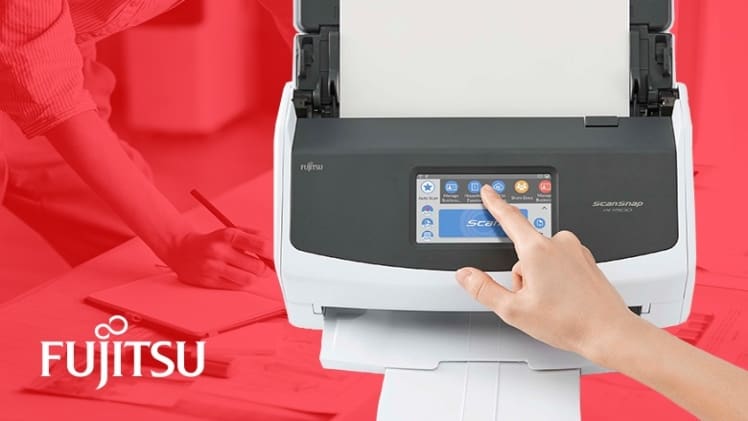
Today’s scanners come in an extensive selection of sizes, capacities, and price points. Whether you need a personal scanner or a space-conscious model for your home office, you can easily find a versatile and affordable model. Ricoh’s ScanSnap series includes powerful and compact machines like the ScanSnap iX1400, designed with simplified scanning and easy USB connectivity to save you time and effort.
The Value of a Dedicated Scanner
As a home office user, you may be evaluating your scanning options and aren’t certain whether to choose a dedicated scanner or an all-in-one printer. While the all-in-one may come with a lower upfront cost, you’ll want to consider a few other factors before you buy. With many models, how to scan in a printer becomes a series of complex steps. By contrast, dedicated scanners like the iX1400 offer several key benefits:
• Dependability: If one function breaks down on an all-in-one, the entire machine may be unusable. Dedicated scanners ensure your printing, scanning, and faxing functions remain separate.
• Ease of use: One-touch scanning paired with multifunctional software streamlines scanning tasks.
• Quality: Dedicated machines like the ScanSnap ix1400 produce clearer, higher-quality images.
• Speed: Scanners with automatic document feeders and quick settings let you digitize multiple items in a row.
Dedicated scanners also give you more options for equipping your home office. Most all-in-one machines incorporate inkjet printing, which can become inconvenient and costly when you need to buy cartridges. With a separate scanner, you’re free to choose simpler or more robust printers as needed.
Easy, One-Button Scanning
All the ScanSnap models, including the iX1400, allows you to easily scan documents using a front button control or touch panel. The iX1400 specifically includes One-Button scanning, which instantly starts the scan job without complicated controls or fuss. It immediately recognizes document types and saves your scans instantly in searchable PDF, JPEG, or Microsoft formats including Word, Excel, and PowerPoint. The iX1400 also incorporates a Quick Menu, which allows you to route documents to folders, printers, email, or specific applications.
Simple USB Connectivity
ScanSnap series models also connect to your computer via USB ports. The iX1400 supports USB 1.1, 2.0, and 3.2 Gen 1×1 connections. It’s literally plug-and-play: Plug it in, install the ScanSnap software, and you’re ready to go. The iX1300 and iX1600 models also support these USB connections. And if you need to connect more users, the iX1300 and iX1600 include WiFi connectivity using common 802.11 protocols.
Advanced Scanning Software
Paired with Ricoh’s robust ScanSnap application that scans, classifies, and saves documents, the iX1400 streamlines the scanning process. ScanSnap also lets you manage, change, and use scanned information from standard documents along with business cards, receipts, and photos. Intuitive and user-friendly, ScanSnap includes Optical Character Recognition for fast and accurate conversions of scanned images to text. Image correction features include automatic color, size, blank page, and skewed page detection, fixing your scans with little intervention on your part.
The ScanSnap iX1400 and iX1600 pack a lot of functionality into a small desktop footprint. For larger offices, Ricoh’s commercial document scanner options include the fi-7600 and fi-7900. No matter what your work environment entails, Ricoh has a scanner that meets your needs.
