

Discover the convenience of VanceAI BGremover, a comprehensive tool that simplifies the process of editing images by seamlessly removing and replacing backgrounds. This advanced AI-powered feature empowers social media content managers to achieve professional-looking results without the need for complex software or extensive graphic design skills.
VanceAI‘s background remover is designed to eliminate the background from any image, allowing users to isolate the subject or objects they want to focus on. It accurately detects and removes backgrounds, even in images with intricate details or complex backgrounds, such as portraits, product photographs, and more.
Effortless Editing with BGremover and VanceAI Image Upscaler
With its user-friendly interface, BGremover makes editing accessible to users with varying levels of experience. Simply upload your image to the platform, and BGremover’s intelligent algorithms analyze the content, automatically removing the background and leaving the subject isolated with just a few clicks.
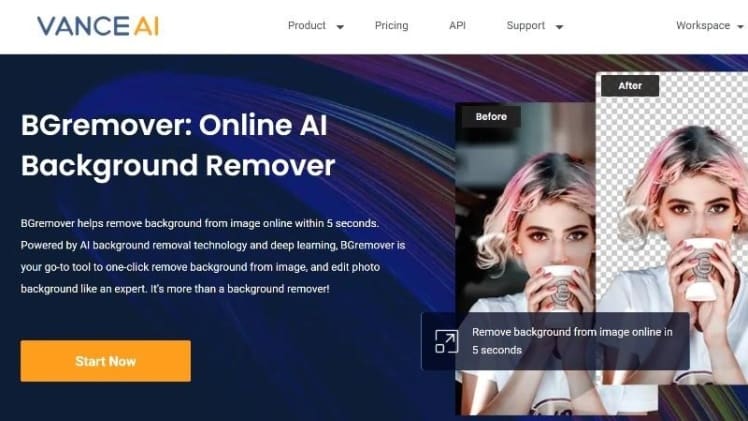
In addition to background removal, VanceAI BGremover offers the option to replace the removed background with a new one. Choose from preloaded backgrounds or upload your own custom ones to create stunning visual compositions and give your images a fresh context or desired atmosphere. This seamless background removal and replacement streamline the editing process, saving you valuable time and effort.
Elevate Your Images with VanceAI Image Upscaler
After successfully removing the background with BGremover, take your image editing further with VanceAI Image Upscaler. Online, you can upscale images up to 8 times their original size, while the desktop version of VanceAI PC allows for an even more substantial upscale limit of up to 40 times the original size. This expanded range opens up possibilities for greater enlargement and magnification.
Enhance Your Content Easily
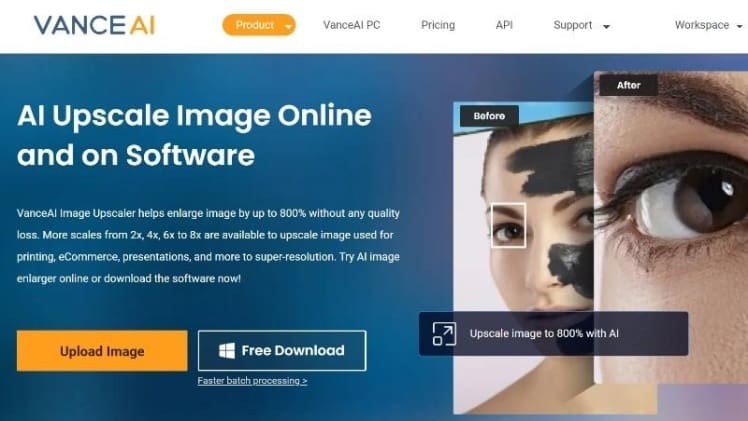
VanceAI’s BGremover and Image Upscaler provide powerful tools to enhance your image-based content in terms of quality, size, and more. Remove distracting backgrounds from product images, create clean and professional visuals for social media, and highlight the features of your products effectively.
Guide for Using VanceAI BGremover Online
Follow these simple steps to remove backgrounds from your images using background remover online:
Access the BGremover online platform and enter the Workspace by clicking “Start Now.”
Specify whether the algorithm should focus on the human figure or the object within the image. Initiate the background removal process by clicking “Start to Process.”
The tool will process the image and present the edited result. If satisfied, click “Download Image” to save it to your device.
Upscale Images with VanceAI Image Upscaler
Here’s a step-by-step guide to upscale photos using AI image enlarger:
Access the VanceAI Image Upscaler online platform and click “Upload Image.”
Upload your image and customize the settings based on your preferences. If you need
to start, just click “Start to Process”.
In seconds, the processed image will be displayed. Select “Download Image” to save the edited photo.
Affordable Pricing and Additional Features
VanceAI offers three complimentary image credits monthly for free users. For a more comprehensive experience, consider affordable paid plans, starting at just $4.95 per month, providing 100 image credits. Explore the range of features without limitations, making it an excellent option for users with budget considerations.
BGremover also includes valuable features such as PNG Maker to convert images into the versatile PNG format and Background Changer to seamlessly replace backgrounds with solid colors. These robust capabilities enable users to effortlessly create visually captivating images with ease and precision.
Discover the Power of VanceAI BGremover
VanceAI BGremover stands out as an outstanding tool for removing backgrounds from images. It not only offers essential features but also includes additional functions not commonly found in other online background removers. With VanceAI’s commitment to affordability and accessibility, you can enjoy three free image credits every month, making background removal accessible at no cost.
Explore Additional Choices from VanceAI
Enhance the quality of your photos with VanceAI Image Enhancer, which intelligently improves details, sharpness, and overall quality. For a unique and artistic look, utilize the AI Art Generator of VanceAI, effortlessly transforming your images into stunning artworks generated by artificial intelligence.
